
 CAD - Canadian Dollar
Upload Files After Ordering
Complete checkout faster and upload your print files when they’re ready.
Upload your print files after checkout using our flexible online printing workflow. Finish your order faster and connect files when they’re ready.
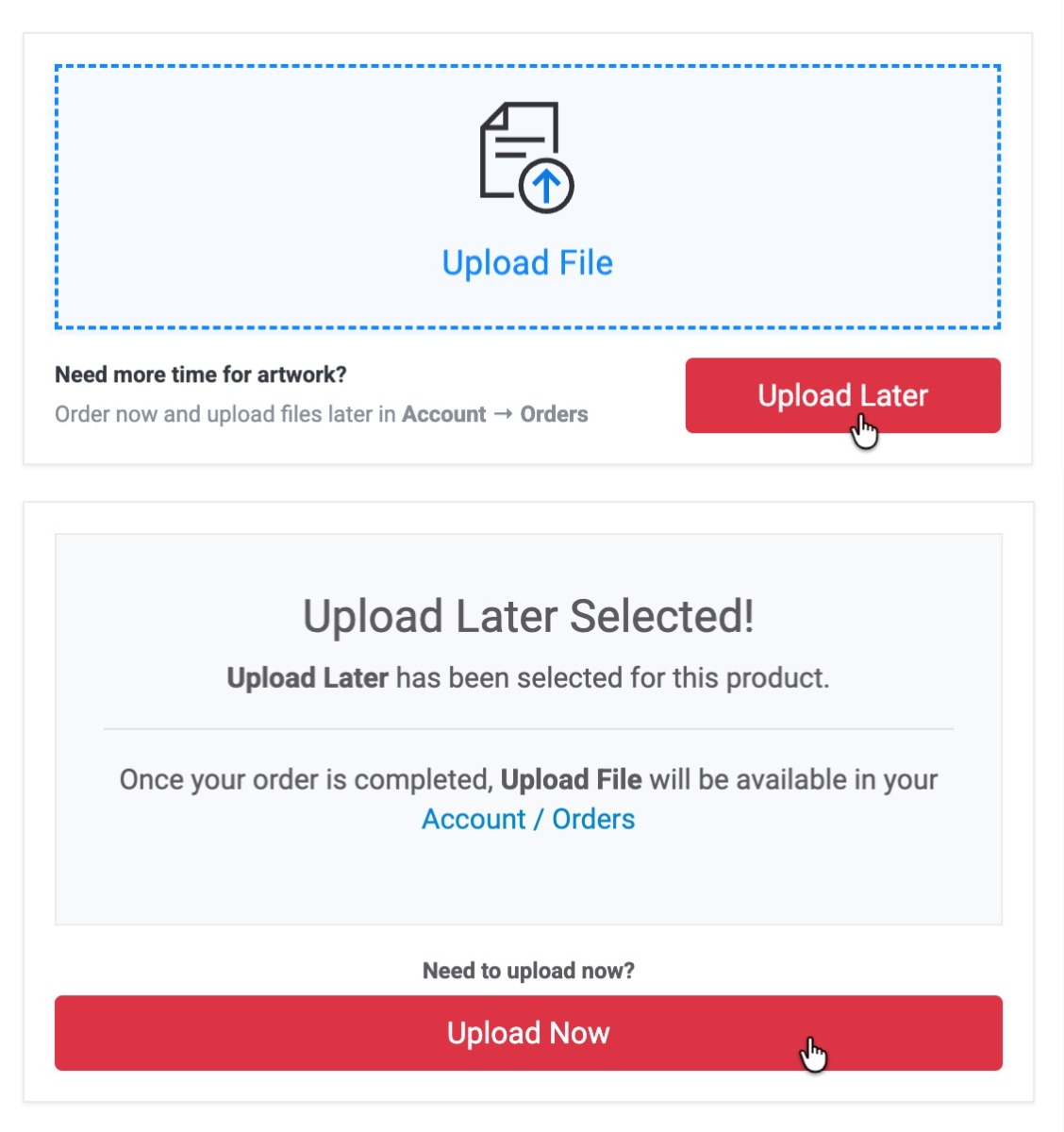
1 Place your order without files
File upload on the product page is optional. You can safely complete checkout even if your files are not ready yet.
2 Access your order
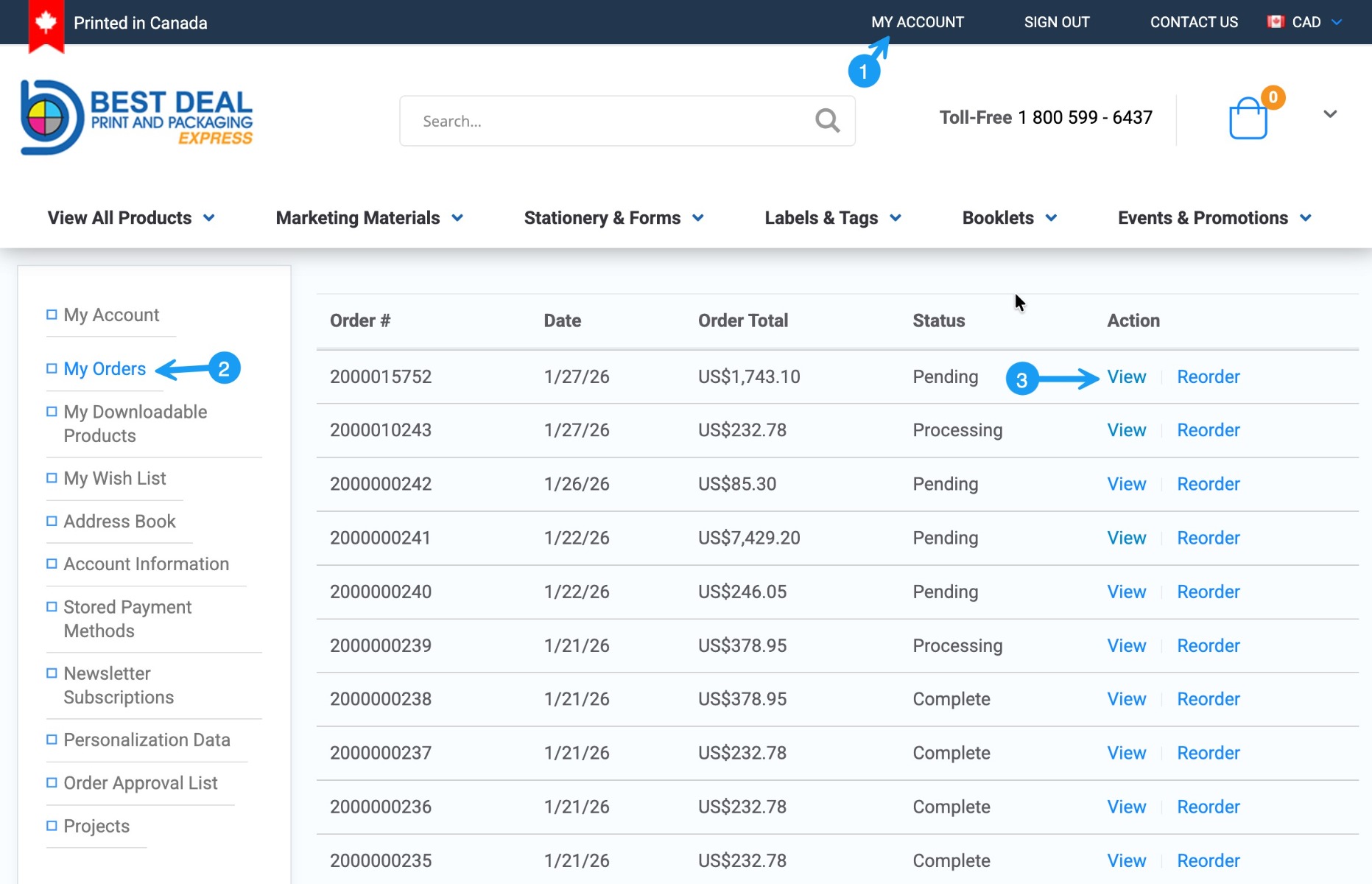
You’ll receive an order confirmation email with a direct link to your order.
Or visit: My Account → Orders
3 Upload files from the order page
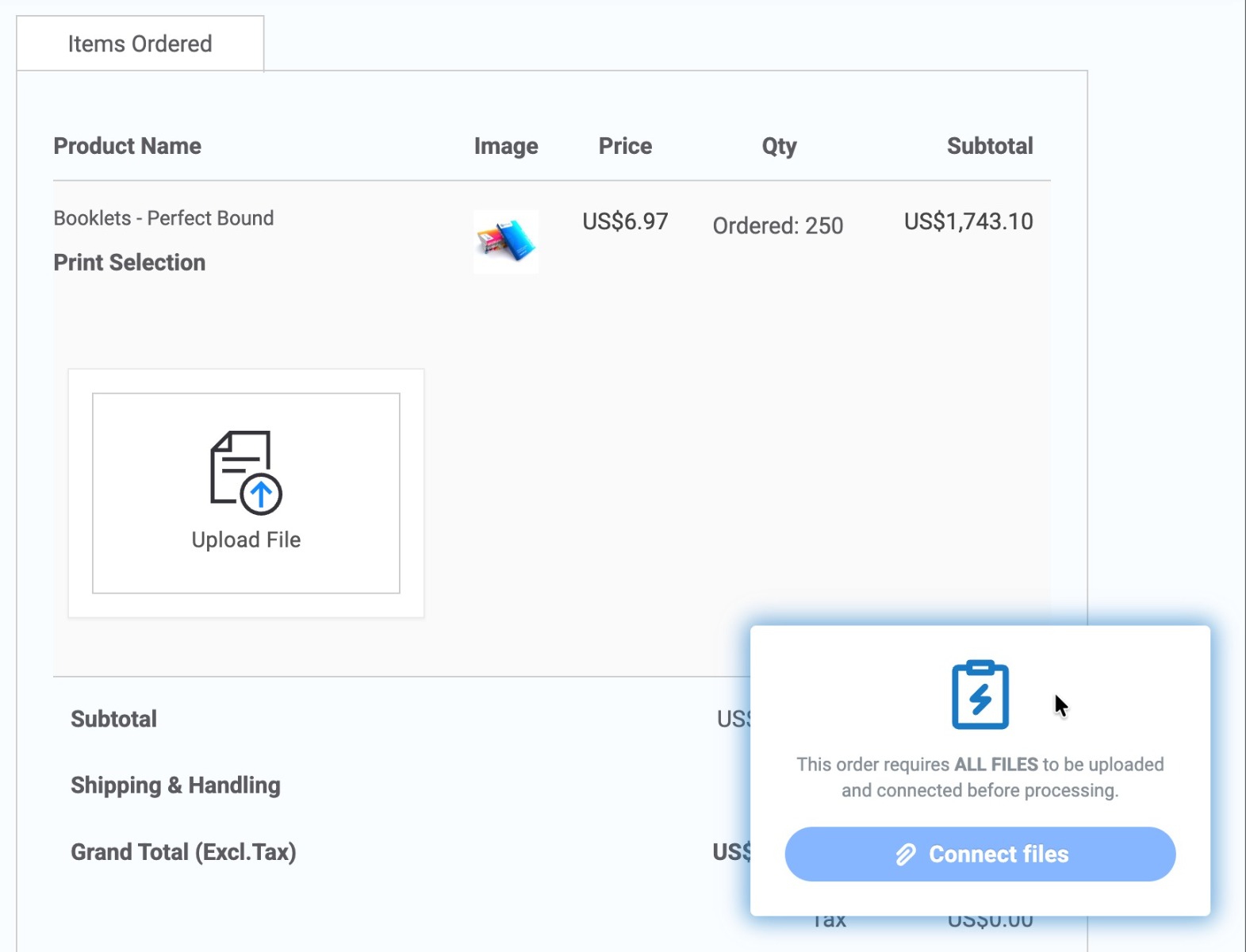
Use the Upload File button for each printable item directly from your order page.
4 Upload files for all items
Each printable item requires its own file. Make sure every required file is uploaded before continuing.
5 Connect files to your order
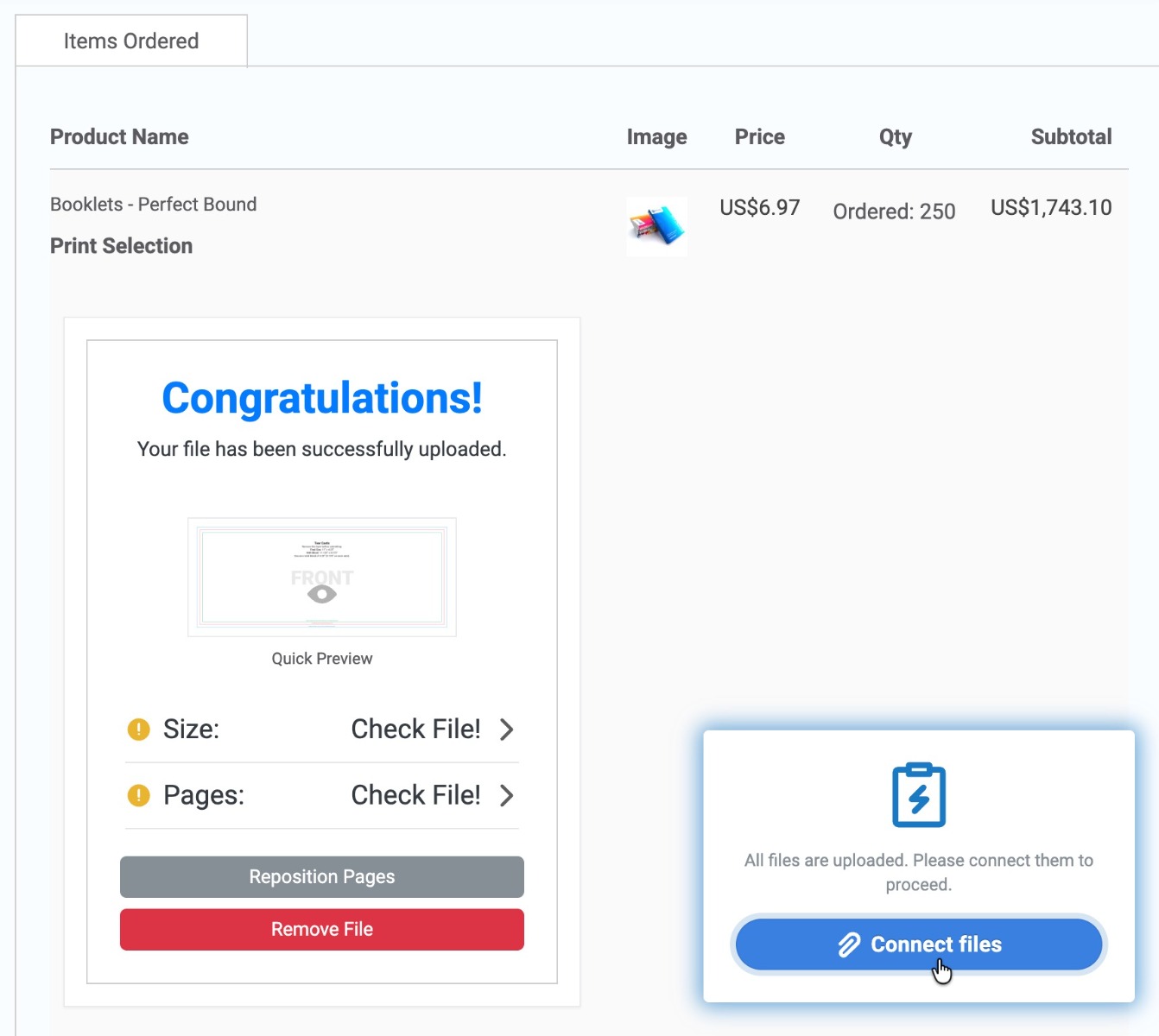
Uploaded files must be Connected to the order.
Only orders with all files connected can proceed to production.

Need help?
If you have questions about file uploads or requirements, please contact our support team before connecting your files.